
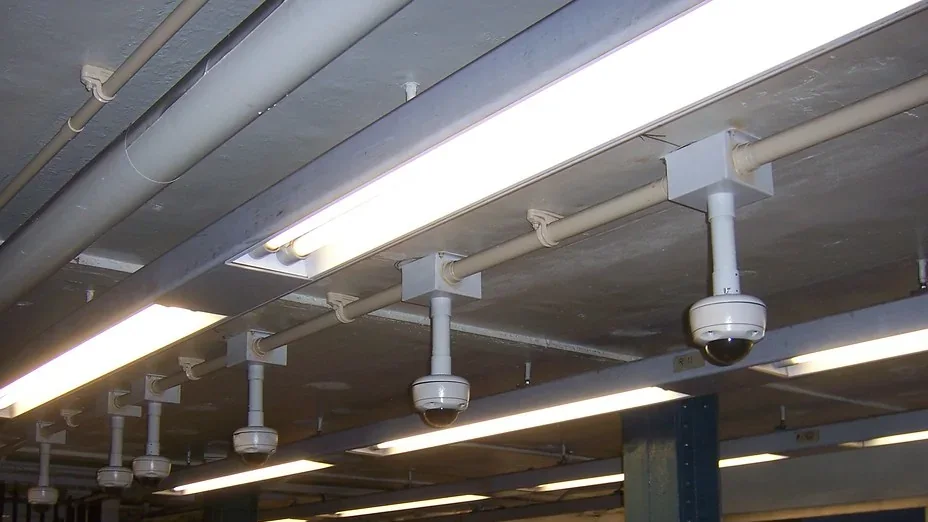
Access Control & Surveillance
Hybridata coordinates access-control and surveillance systems with the cabling and network requirements defined for the commercial site. The approved scope is shaped by the facility, system design, equipment, pathways, and project requirements.
Headquartered in Fort Worth, Texas · Nationwide IT integration services
Plan the infrastructure around the facility and its responsibilities.
Access-control and surveillance work depends on the facility, approved openings or locations, cabling, network interfaces, equipment information, and project stage. Monitoring, analytics, response, compliance, and security outcomes are not assumed.
- 01
Openings and areas
Identify the doors, areas, or camera locations already defined for the project.
- 02
Design and equipment
Review available system design, equipment information, pathways, and visible site conditions.
- 03
Cabling and network
Coordinate the defined cabling, power, pathway, and network requirements with the relevant project parties.
- 04
Administration and handoff
Clarify who owns administration, records, and future system-change decisions.
PLANNING CONTEXT, NOT A COVERAGE PROMISE
This explanatory diagram organizes project context by facility area, approved location, infrastructure interface, and responsibility boundary. It is not a customer facility, coverage map, compliance statement, or representation of an outcome.
- 01
Facility areas
The perimeter, entrances, controlled areas, or other zones named by the project.
- 02
Approved locations
The openings or locations identified in the available project information.
- 03
Infrastructure context
The cabling, pathway, power, network, equipment, and access questions in scope.
- 04
Responsibilities
The administration, decision, record, and handoff roles identified by the project parties.
Illustrative project-context diagram — not a customer project, measured result, certification record, coverage map, or as-built drawing.
Treat field-of-view discussion as a project input.
Location, mounting, visible conditions, pathway, cabling, network, equipment, and responsible decisions can shape a surveillance-infrastructure conversation. This page does not claim monitoring service, analytics, response, crime prevention, coverage, or a security outcome.
- 01
Requirement
Start with the owner-defined infrastructure requirement and available project information.
- 02
Location context
Review approved locations and visible conditions without asserting a coverage result.
- 03
Interfaces
Clarify the cabling, pathway, power, network, equipment, and construction interfaces in scope.
- 04
Responsibility
Keep administration, monitoring, legal use, retention, and response roles with the appropriate project party.
Keep the system scope connected to the building context.
A new project, a change to an existing environment, or a facility question can begin with the same discipline: identify the site, available information, approved locations, interfaces, responsible parties, and scope. No universal compatibility or result is implied.
- 01
Facility
Describe the commercial environment, project stage, and relevant visible conditions.
- 02
Available information
Share existing requirements, system information, project records, or questions that need review.
- 03
Scope boundary
Clarify included infrastructure activities and responsibilities held by other project parties.
- 04
Next step
Choose a consultation or site survey based on the information needed for the next review.
Name the records and responsibilities before the project moves on.
Labels, equipment information, defined checks, exceptions, records, and future-change questions are meaningful when the project scope identifies them. The page does not state regulatory approval, prevention, monitoring, or an operating outcome.
- 01Project record
- Identify the labels, equipment information, and project-defined records that belong in scope.
- 02Defined checks
- Use only the checks and method named in the approved project requirements.
- 03Exceptions
- Keep unresolved conditions and responsible actions visible for the appropriate review.
- 04Handoff
- Clarify which project party receives the agreed records and owns any next decision.
Start with the facility and responsibility boundaries.
Share the facility type, project stage, approved openings or locations, available system information, cabling and network context, and open questions.